Every screenshot in this guide was taken by our Odoo team on 17 November 2026 from a live Odoo 19 Community database running Odoo’s demo data, so the company, customer and product names are Odoo samples. Menus and buttons are the same in your database.
Odoo’s Manufacturing app turns components into finished products and keeps stock and cost in step. Here is a complete manufacturing order for five tables.
Step by step
1Set up the bill of materials
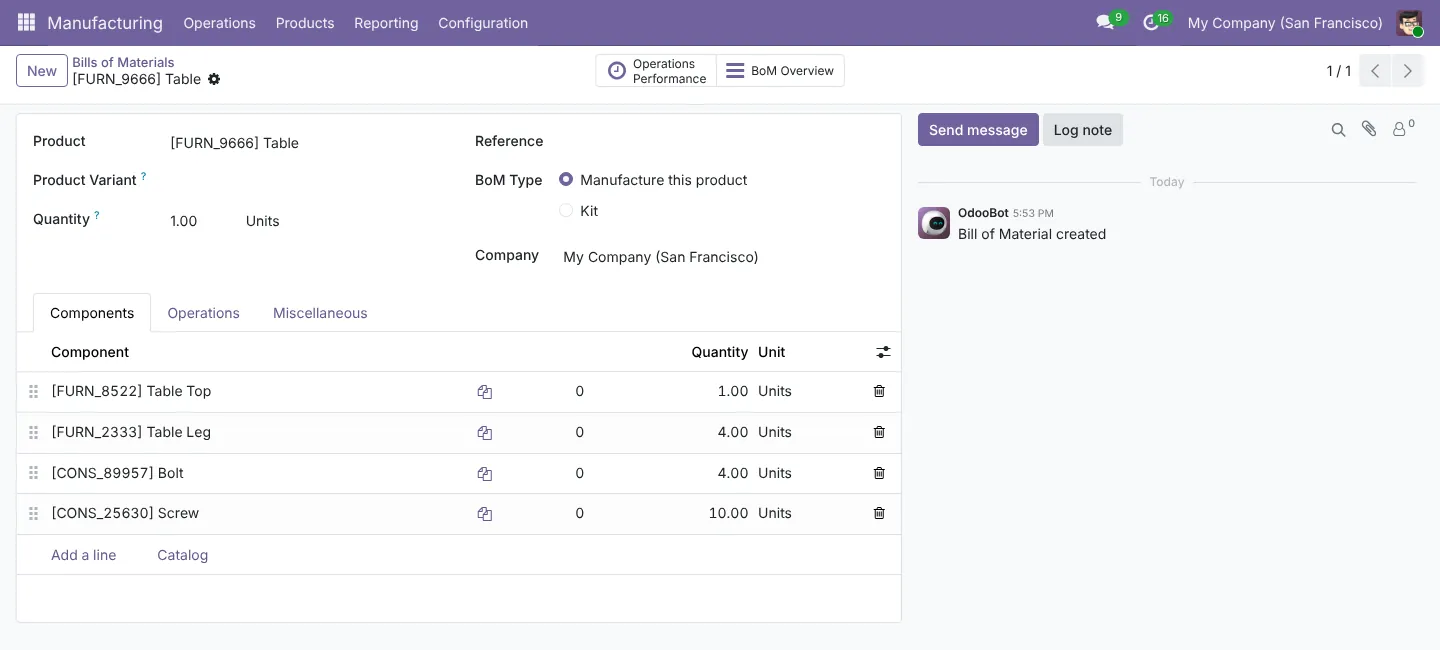
Go to . A bill of materials (BoM) lists the components for one unit: here a table top, four legs, four bolts and ten screws.
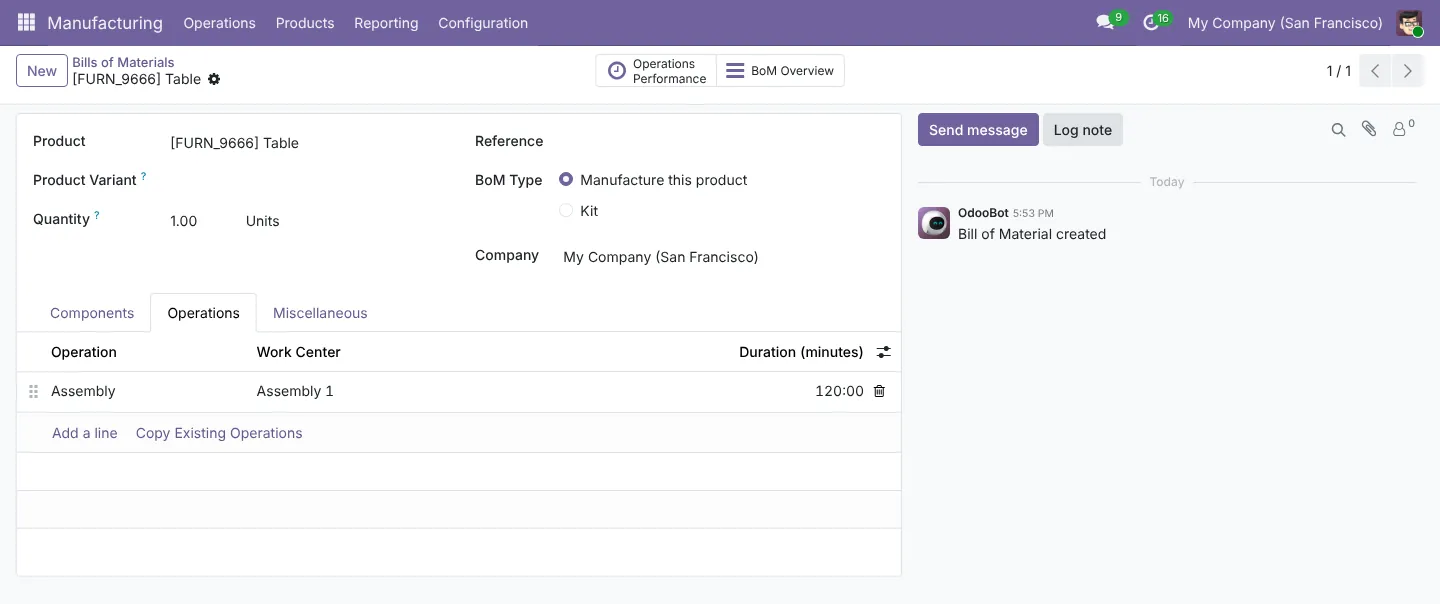
On the Operations tab, add the steps and the work centre where each one happens. Our table has one 120-minute assembly step at Assembly 1. Operations need the Work Orders setting switched on.
2Create and confirm the manufacturing order
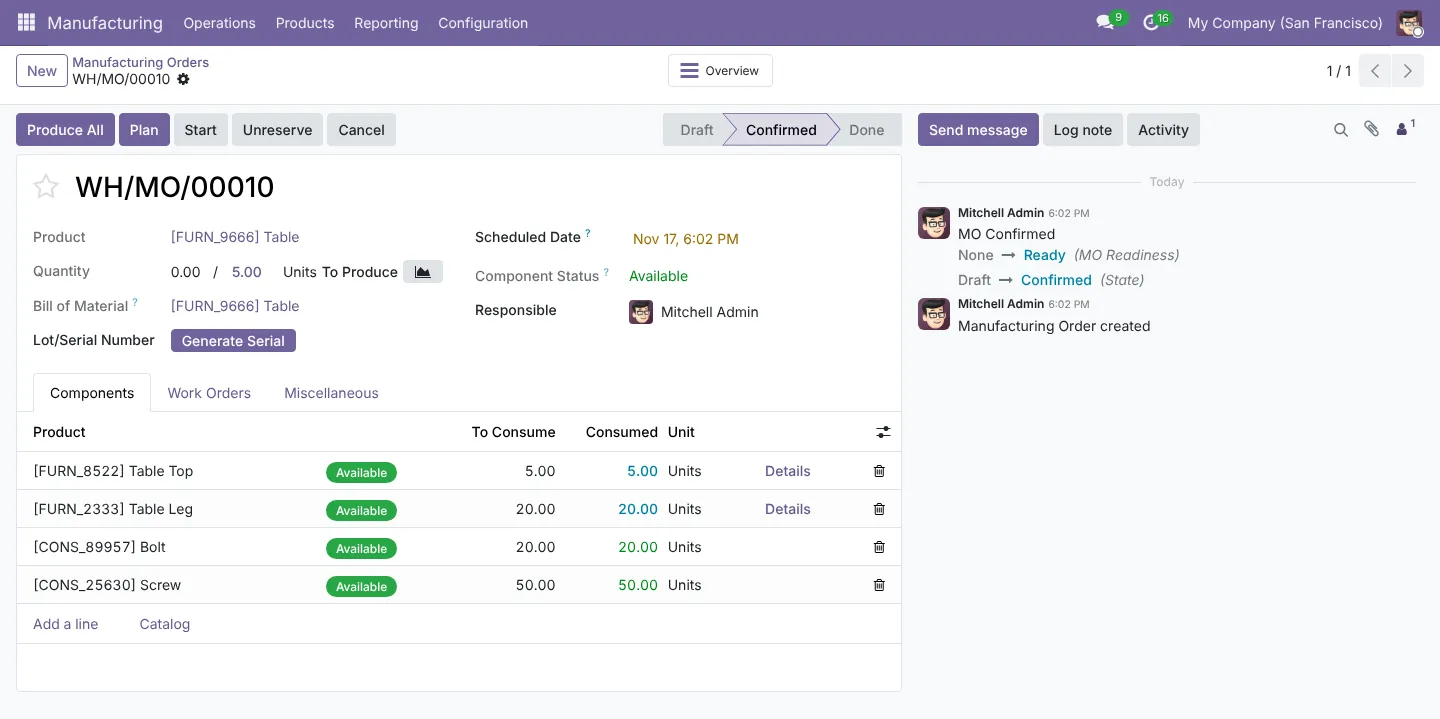
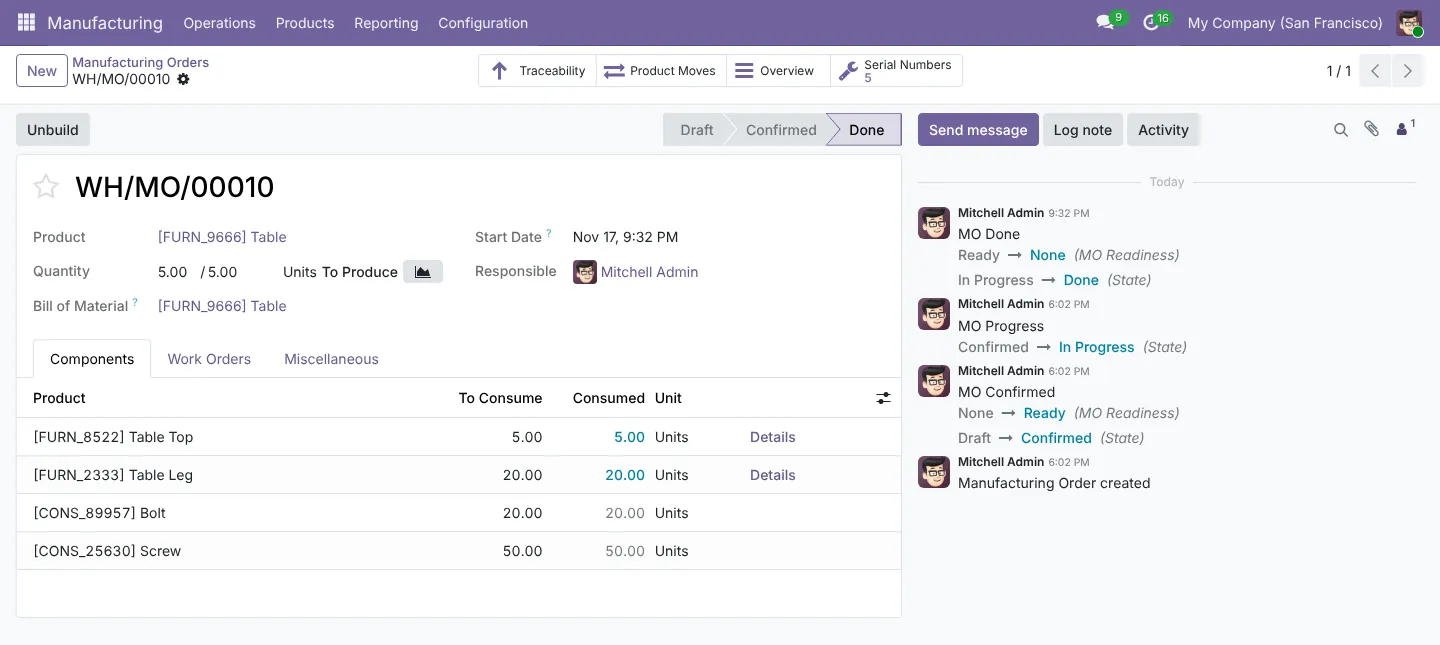
In , click New, choose the product and enter the quantity. Odoo multiplies the BoM: 5 tables need 20 legs, 20 bolts and 50 screws. Click Confirm, and the Component Status shows whether everything is in stock.
3Run the work orders
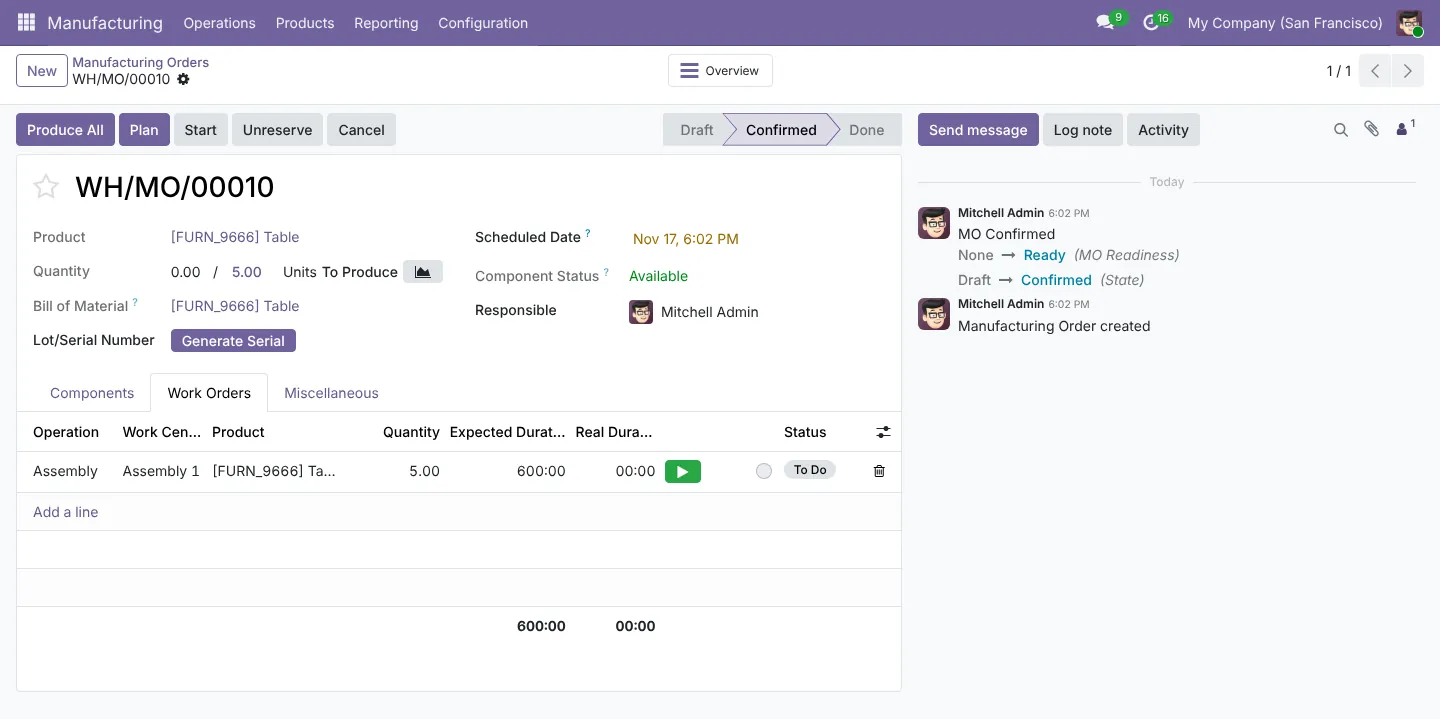
The Work Orders tab lists each operation with its expected duration. Operators start and stop the timer, so you can compare real time against expected time.
4Record serial numbers and finish
Our tables are tracked by serial number, so Odoo asks for one serial per table when you produce. Component lots, such as the batch of table legs, are recorded too. That gives full traceability from the finished table back to its parts. Click Produce All, then confirm.
What Odoo posts to your accounts
With automated valuation, Odoo moves the components’ value out of raw materials and into finished goods, plus labour if your work centres have an hourly cost. Our accountants check these postings during setup, so the stock value on the balance sheet matches the inventory report.
Need help setting this up?
Our Odoo team sets these flows up on Odoo Online, Odoo.sh or your own server, and our accountants check the accounting behind them. See our Odoo services or tell us about your project.
Screenshots captured 17 November 2026 in Odoo 19 Community. Enterprise and later versions can look slightly different. This guide is general information, not advice for your situation.