Odoo for retail and distribution
Point of Sale, branch stock, purchasing and accounting in one system, so every sale updates stock and the books at the same time.
What retail & distribution businesses tell us
The problems we hear most often in discovery calls.
Stock that never matches
Each branch counts differently, transfers live on WhatsApp, and the system is never quite right.
End-of-day cash-ups
Cashiers close tills by hand and differences are found days later.
Promotions run on paper
Discounts, loyalty points and gift cards are tracked outside the till.
Odoo apps we set up
Only what you need is switched on.
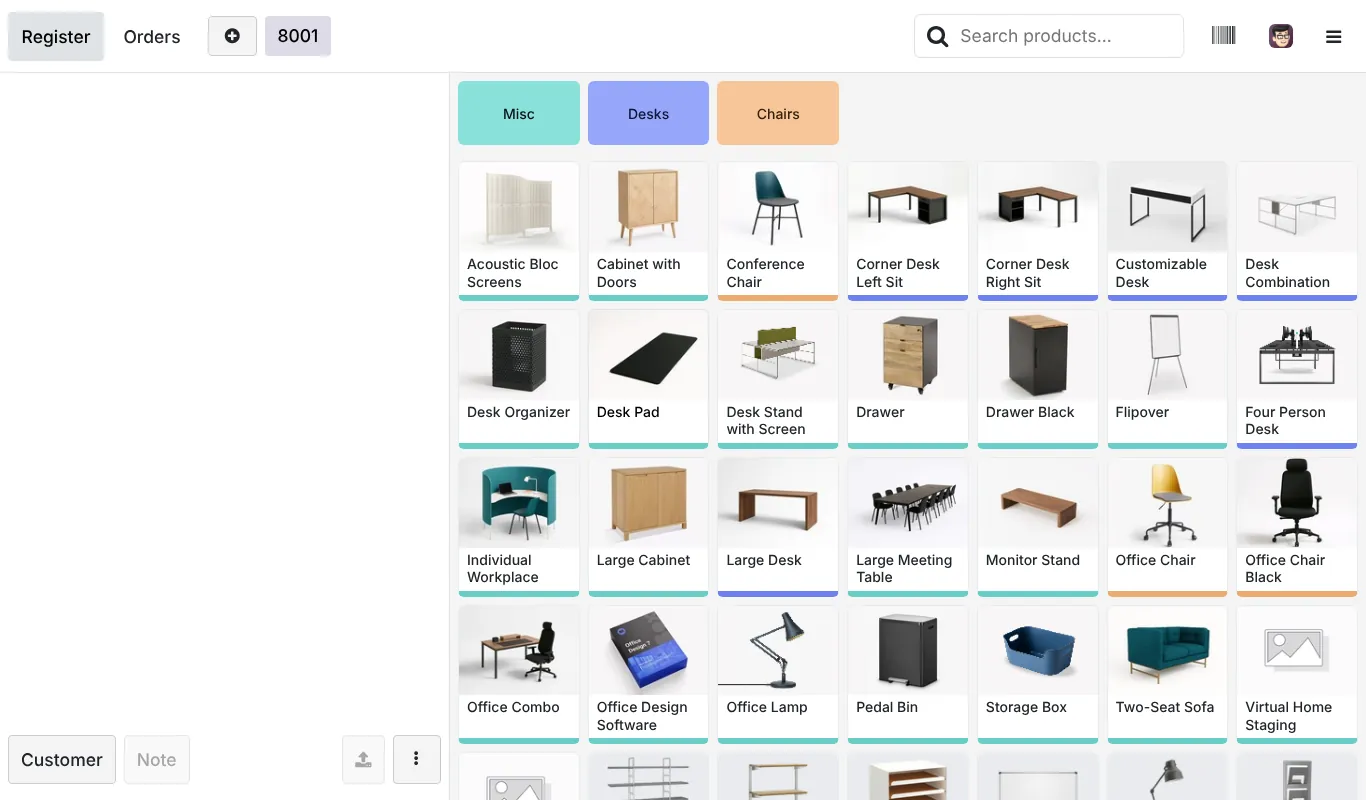
Point of Sale
One till per shop, cash control at opening and closing, barcode scanning, receipts and customer display.
Inventory
A warehouse per branch, inter-branch transfers, reordering rules and cycle counts.
Purchase
Purchase orders from reorder rules, vendor pricelists and receipts against the order.
Loyalty and gift cards
Loyalty cards, gift cards, coupons and buy-X-get-Y offers applied at the till.
eCommerce
An online store that sells from the same stock as your shops.
Accounting Enterprise
POS sessions post sales, payments and cash differences to the right accounts.
Apps marked Enterprise need an Odoo Enterprise subscription. On Community we use the nearest free app or a module, and say so in the proposal.
How the workflow runs in Odoo
From the first document to the books.
Buy
Reorder rules suggest purchase orders by branch.
Receive
Goods are received against the order, with barcodes.
Move
Stock is transferred between warehouse and shops.
Sell
Cashiers sell at the till, with offers applied automatically.
Close
Session close checks the cash and posts to accounting.
See it in Odoo
Screens from a live Odoo 19 database. Your setup uses your own products, customers and reports.
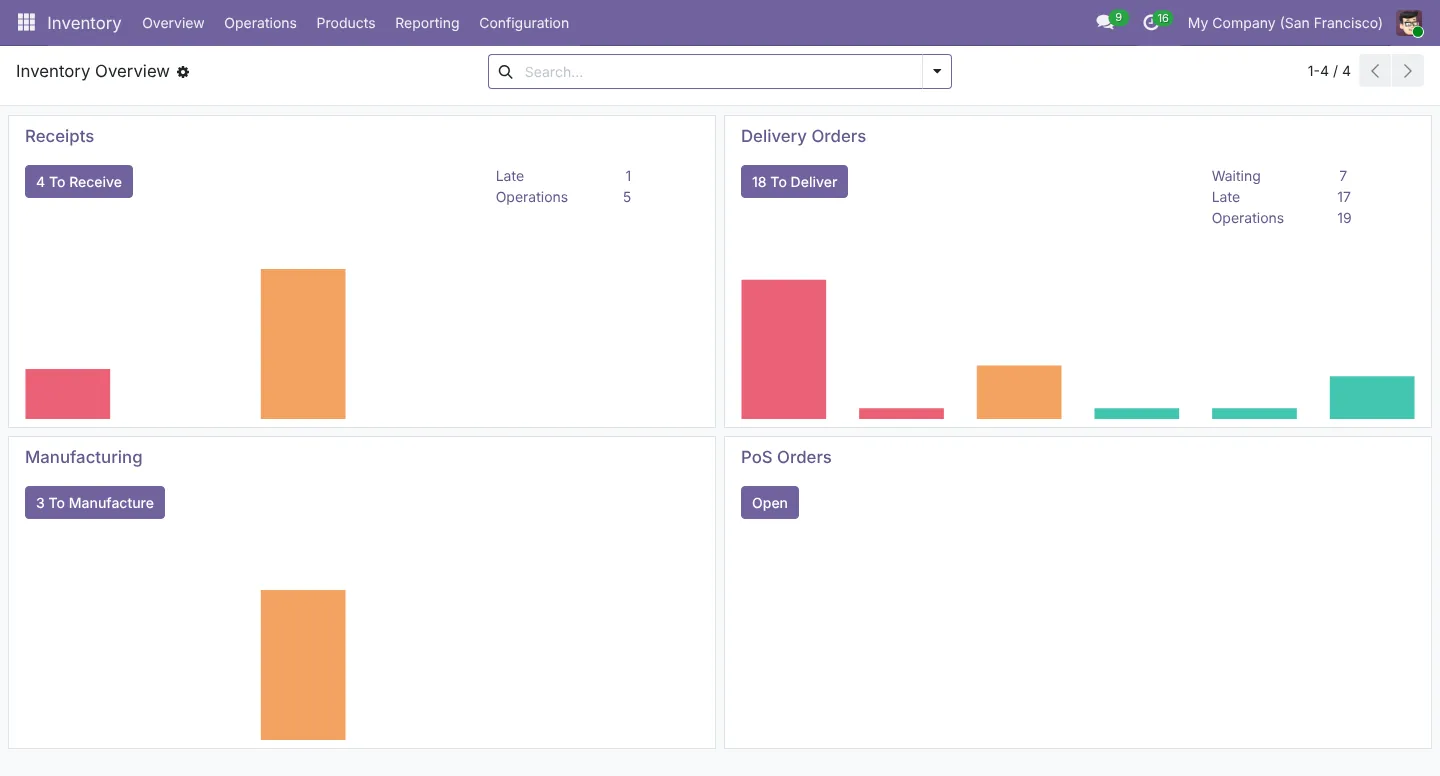
What you can see every day
- Sales by shop, cashier and hour
- Margin by product and category
- Stock value and slow movers by branch
- Cash differences by session
- Loyalty and gift card balances
- Vendor lead times
Worth knowing
Before you decide
During an internet outage, Odoo’s Point of Sale switches to offline mode and keeps taking orders. Orders sync when the connection returns, as long as the browser is not closed or cleared. Some features, such as registering new customers, wait until it is back online.
Tax and localisation in your market
Set up and checked by our accounting and tax team, not left to defaults.
Saudi Arabia
Odoo’s Saudi localisation covers VAT and ZATCA Phase 2 e-invoicing, including simplified invoices from Point of Sale, plus a Saudi payroll localisation. We test the ZATCA onboarding in the simulation environment before going live.
UAE
Odoo’s UAE localisation includes the VAT return and a Corporate Tax report, and Odoo lists a UAE payroll localisation. Our tax team checks tax codes and report mapping against your registrations.
Pakistan
Pakistan is on Odoo’s list of supported fiscal and payroll localisations. We check the chart of accounts and set up FBR sales tax, provincial sales tax on services and withholding rules for your business. FBR digital invoicing needs an integration, which we scope separately.
Common questions
Does Odoo Point of Sale work offline?
Yes. Odoo’s documentation describes an offline mode: products and customers load when the session opens, orders are stored in the browser, and they sync when the connection returns. Don’t close or reload the browser until it has synced. Invoices requested offline are created afterwards.
Can we run several shops with separate stock?
Yes. Each shop gets its own Point of Sale and stock location, and transfers between branches are tracked.
What hardware works with Odoo POS?
Receipt printers, cash drawers, barcode scanners, scales, customer displays and supported card terminals. Some devices connect directly and others through an Odoo IoT box. We check your hardware before you buy anything.
Can loyalty points and gift cards be used in-store and online?
Yes. Loyalty programmes, gift cards and coupons work in Point of Sale and eCommerce when both are set up.
Plan your Odoo project
Tell us what you run today and what Odoo needs to do. We reply with next steps and a discovery call slot.