Odoo for restaurants, cafés and hospitality
Restaurant Point of Sale, kitchen orders, purchasing, recipes and staff scheduling for restaurants, cafés and catering.
What hospitality businesses tell us
The problems we hear most often in discovery calls.
Orders lost between floor and kitchen
Handwritten tickets get lost and tables wait.
Food cost unknown
Ingredient use isn’t tied to dishes sold, so wastage is invisible.
Shift planning
Rotas change daily and live in group chats.
Odoo apps we set up
Only what you need is switched on.
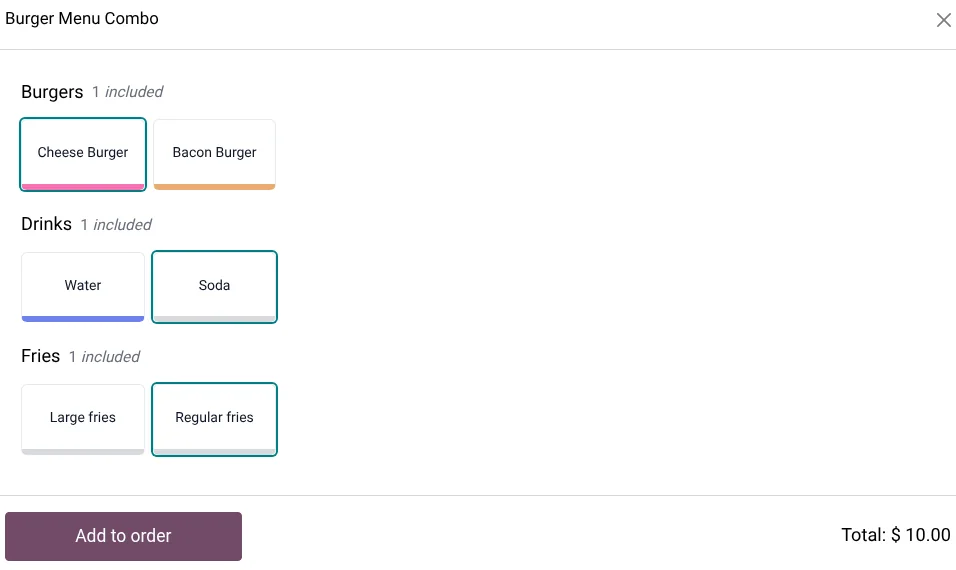
Restaurant POS
Floor plans, tables, splitting bills, tips and combos.
Kitchen orders
Orders sent to kitchen printers or a preparation display.
Self-ordering
Guests order from a QR menu or a self-service kiosk.
Inventory and Purchase
Ingredients bought, received and used through recipes (bills of materials).
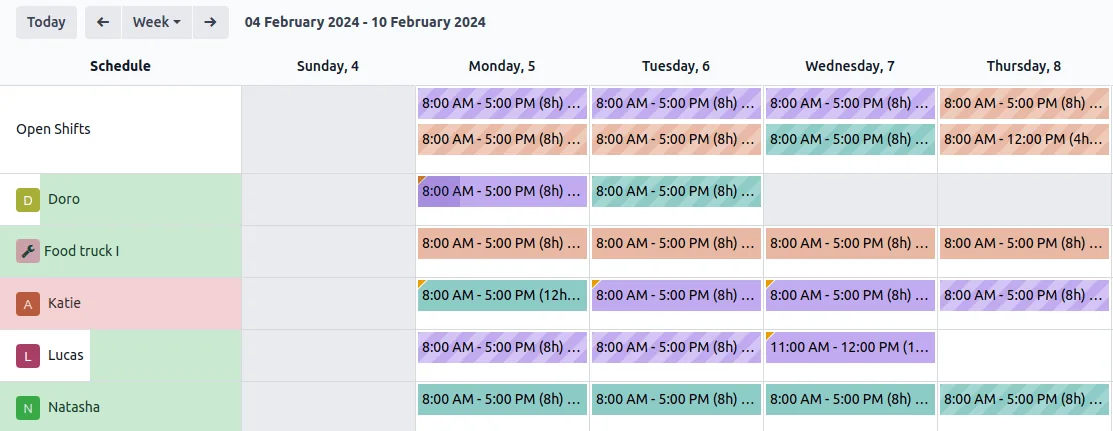
Planning Enterprise
Staff shifts by role and location.
Accounting Enterprise
Daily sales, cash, card and delivery-platform takings reconciled.
Apps marked Enterprise need an Odoo Enterprise subscription. On Community we use the nearest free app or a module, and say so in the proposal.
How the workflow runs in Odoo
From the first document to the books.
Order
A waiter or guest places the order.
Prepare
The kitchen receives it on printer or screen.
Pay
The bill is split and paid, with tips.
Consume
Ingredients are used from stock by recipe.
Close
The session closes and posts to accounting.
See it in Odoo
Screens from a live Odoo 19 database. Your setup uses your own products, customers and reports.
What you can see every day
- Sales by outlet, hour and server
- Food cost percentage by dish
- Wastage
- Table turnover
- Labour cost against sales
- Payment method mix
Worth knowing
Before you decide
Odoo has no hotel property-management system for room bookings. For hotels we cover F&B outlets, purchasing, HR and accounting in Odoo and connect to your PMS where it offers an API.
Tax and localisation in your market
Set up and checked by our accounting and tax team, not left to defaults.
Saudi Arabia
Odoo’s Saudi localisation covers VAT and ZATCA Phase 2 e-invoicing, including simplified invoices from Point of Sale, plus a Saudi payroll localisation. We test the ZATCA onboarding in the simulation environment before going live.
UAE
Odoo’s UAE localisation includes the VAT return and a Corporate Tax report, and Odoo lists a UAE payroll localisation. Our tax team checks tax codes and report mapping against your registrations.
Pakistan
Pakistan is on Odoo’s list of supported fiscal and payroll localisations. We check the chart of accounts and set up FBR sales tax, provincial sales tax on services and withholding rules for your business. FBR digital invoicing needs an integration, which we scope separately.
Common questions
Does Odoo POS support table management?
Yes. Restaurant mode has floor plans, tables, transferring and splitting bills, and tips.
Can orders go to the kitchen automatically?
Yes. Orders can print in the kitchen or show on a preparation display.
Can guests order from their phone?
Yes. Odoo’s self-ordering lets guests order from a QR code menu or a kiosk.
Can Odoo calculate food cost?
Yes. Dishes use bills of materials for their ingredients, so stock and cost update as you sell.
Plan your Odoo project
Tell us what you run today and what Odoo needs to do. We reply with next steps and a discovery call slot.