Every screenshot in this guide was taken by our Odoo team on 17 November 2026 from a live Odoo 19 Community database running Odoo’s demo data, so the company, customer and product names are Odoo samples. Menus and buttons are the same in your database.
A three-way match means you compare three documents before paying a supplier: what you ordered, what arrived and what the supplier billed. Odoo does this for you when the purchase order, receipt and bill come from the same flow.
Step by step
1Create the request for quotation
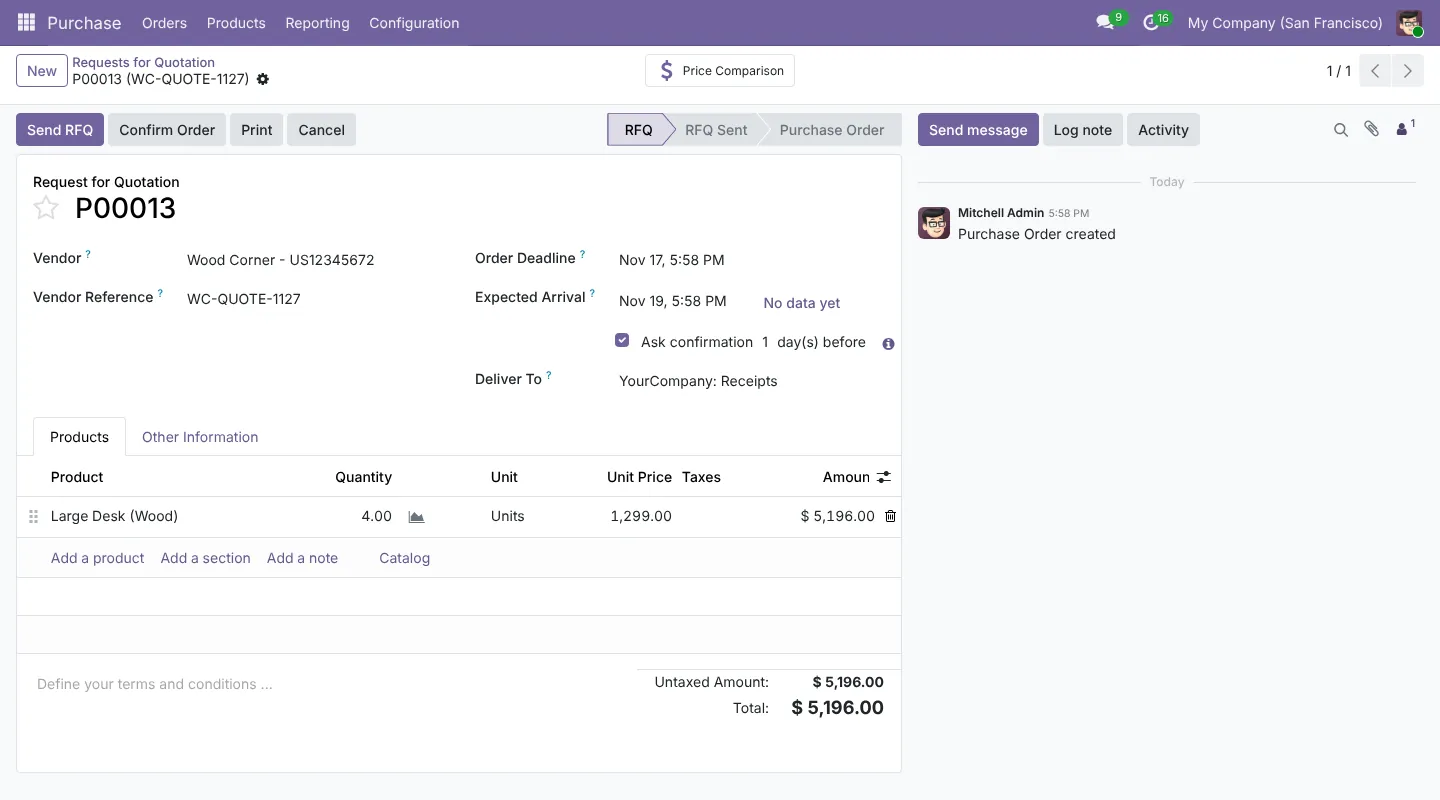
Go to and click New. Choose the vendor, add the products and agree the price. The vendor reference field holds the supplier’s quote number.
2Confirm the purchase order
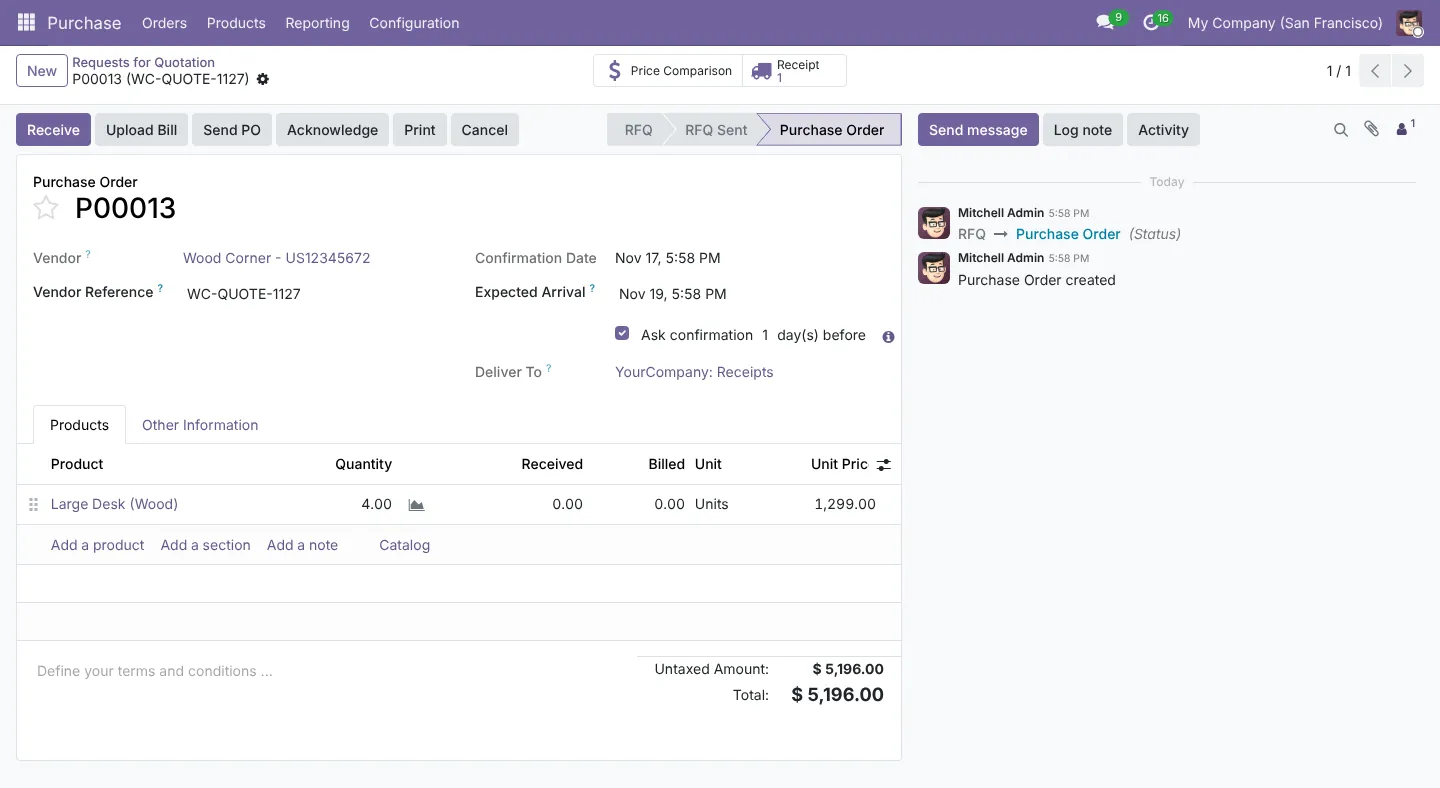
Click Confirm Order. The RFQ becomes a purchase order, and Odoo creates a receipt in Inventory. The order lines now show Received and Billed columns, both at zero.
3Receive the goods
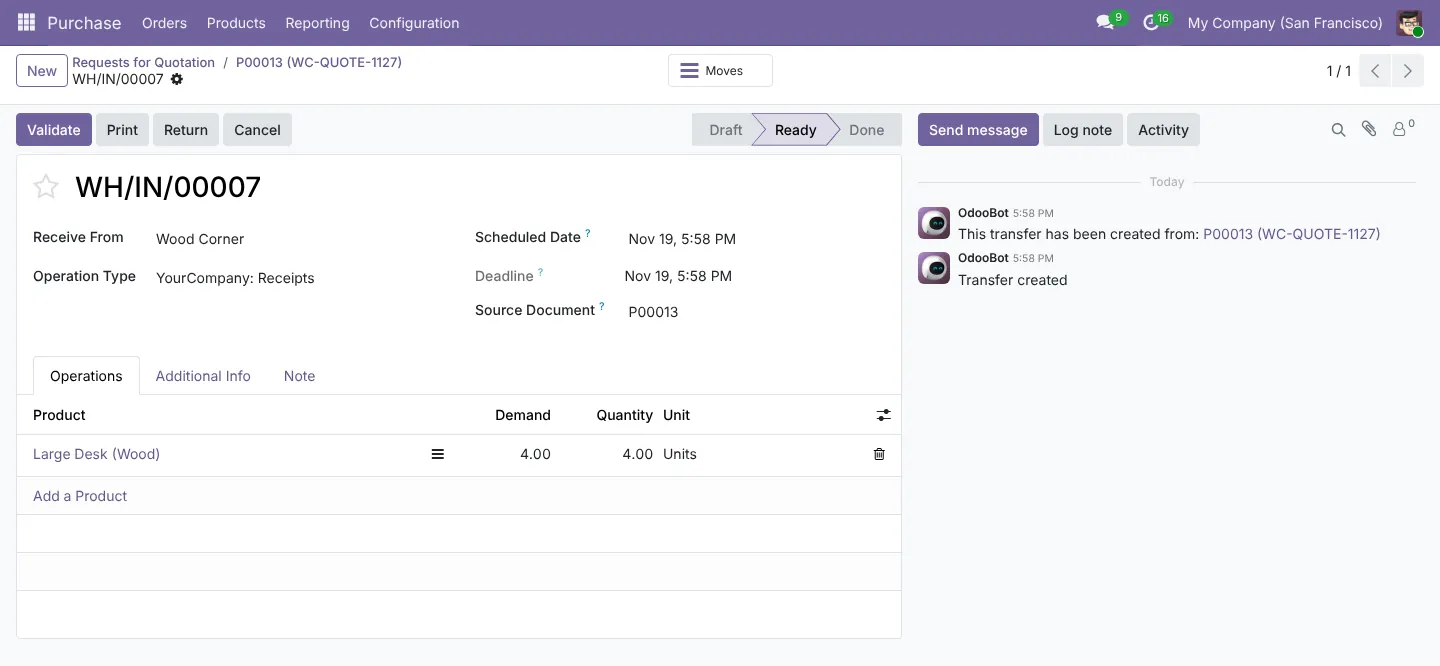
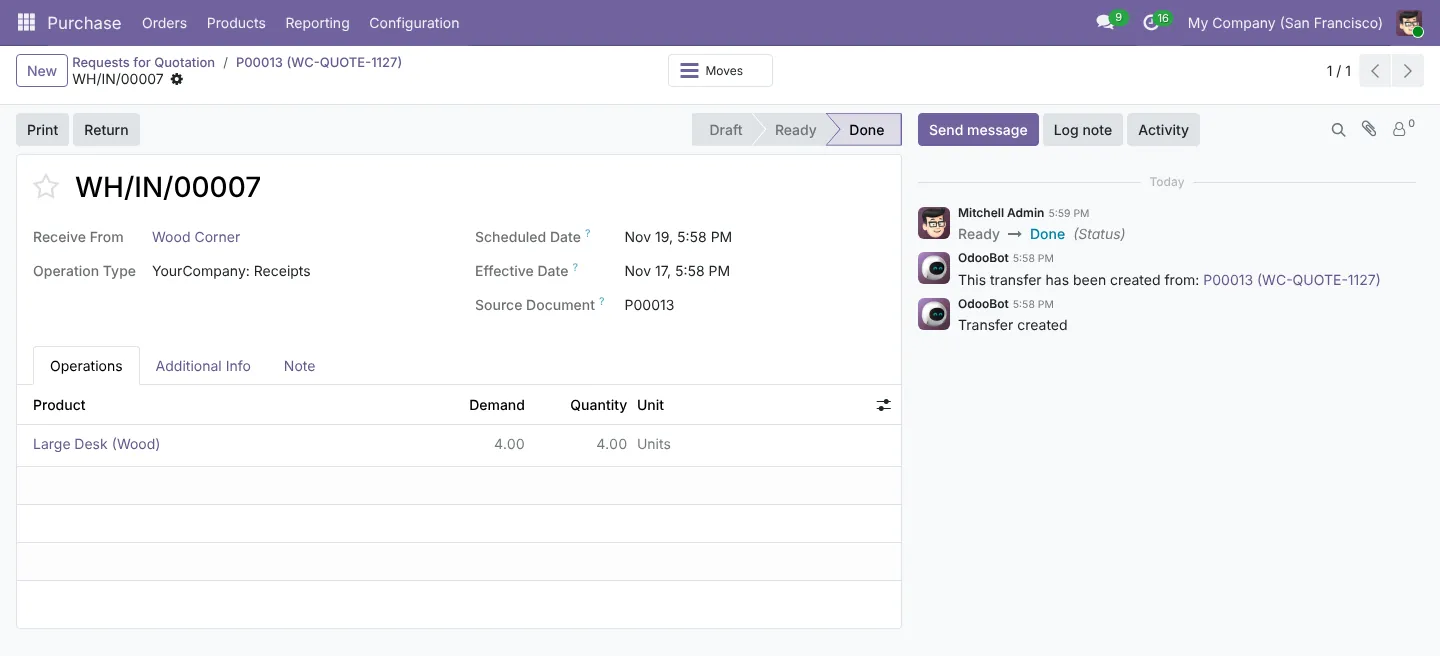
Open the receipt from the Receipt smart button. The quantity is pre-filled from the order. Change it if the supplier sent less, then click Validate.
4Record the vendor bill from the order
Back on the purchase order, click Create Bill. Odoo copies the vendor, products, quantities and prices. Enter the bill date and the supplier’s invoice number, check the totals against the paper bill, and click Confirm.
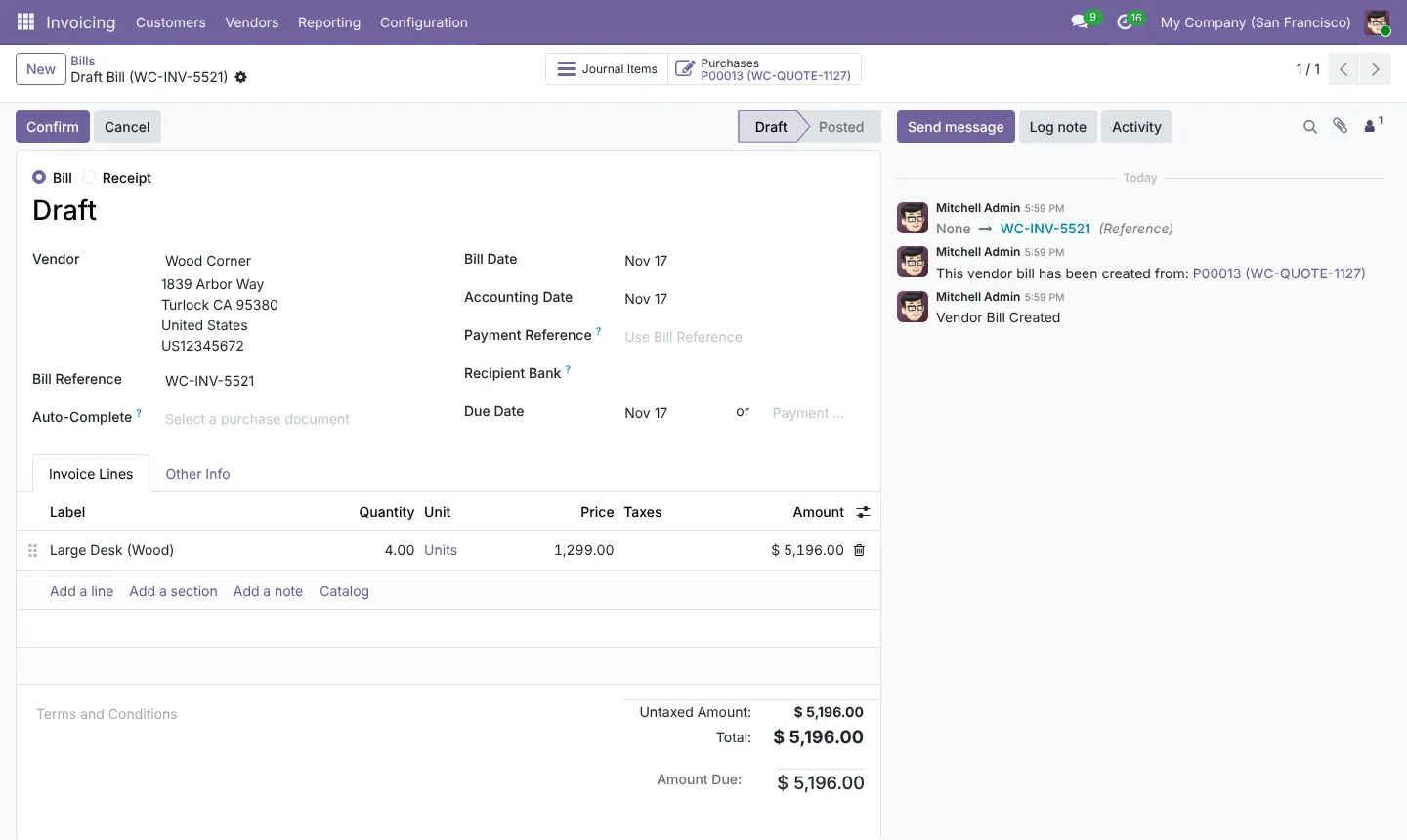
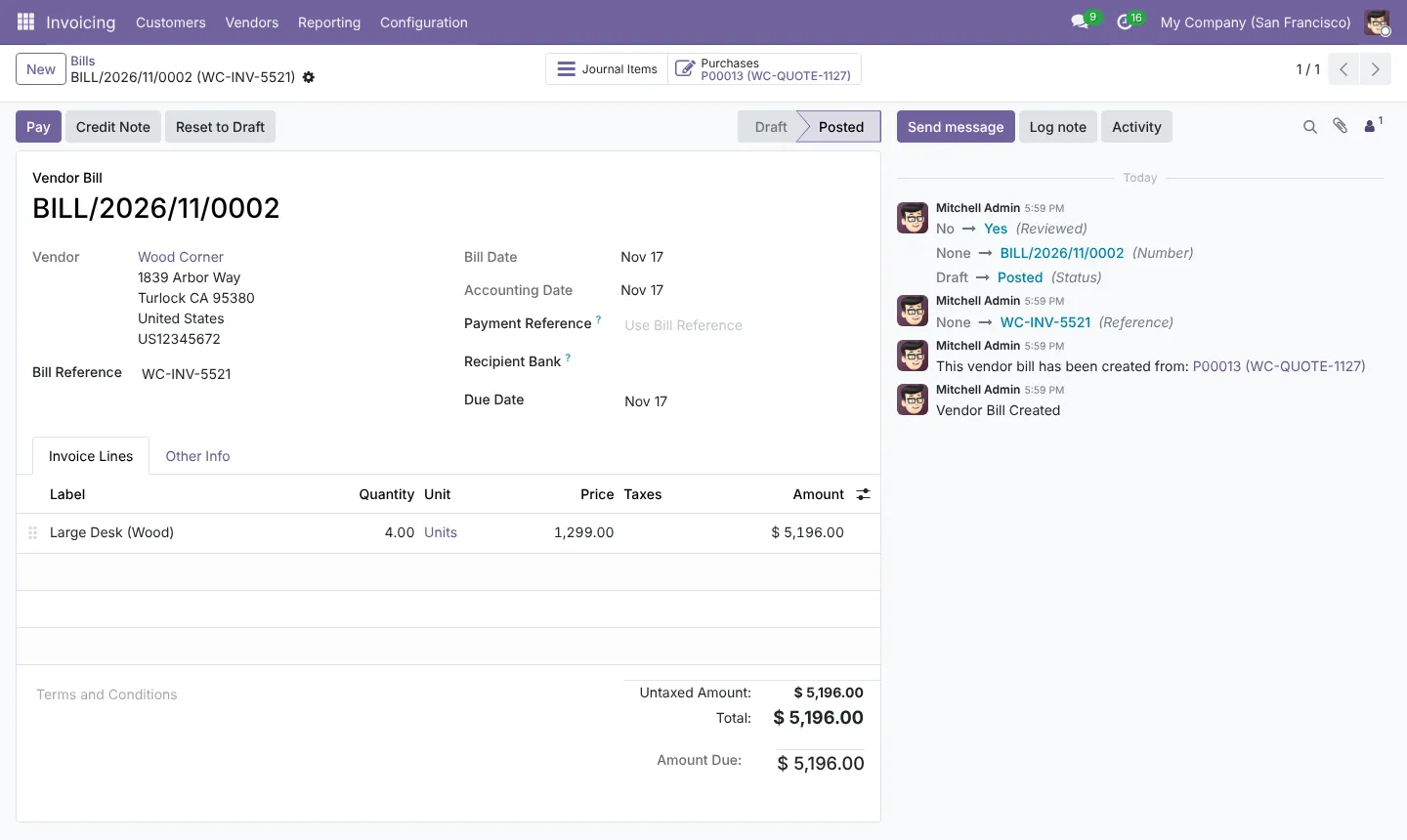
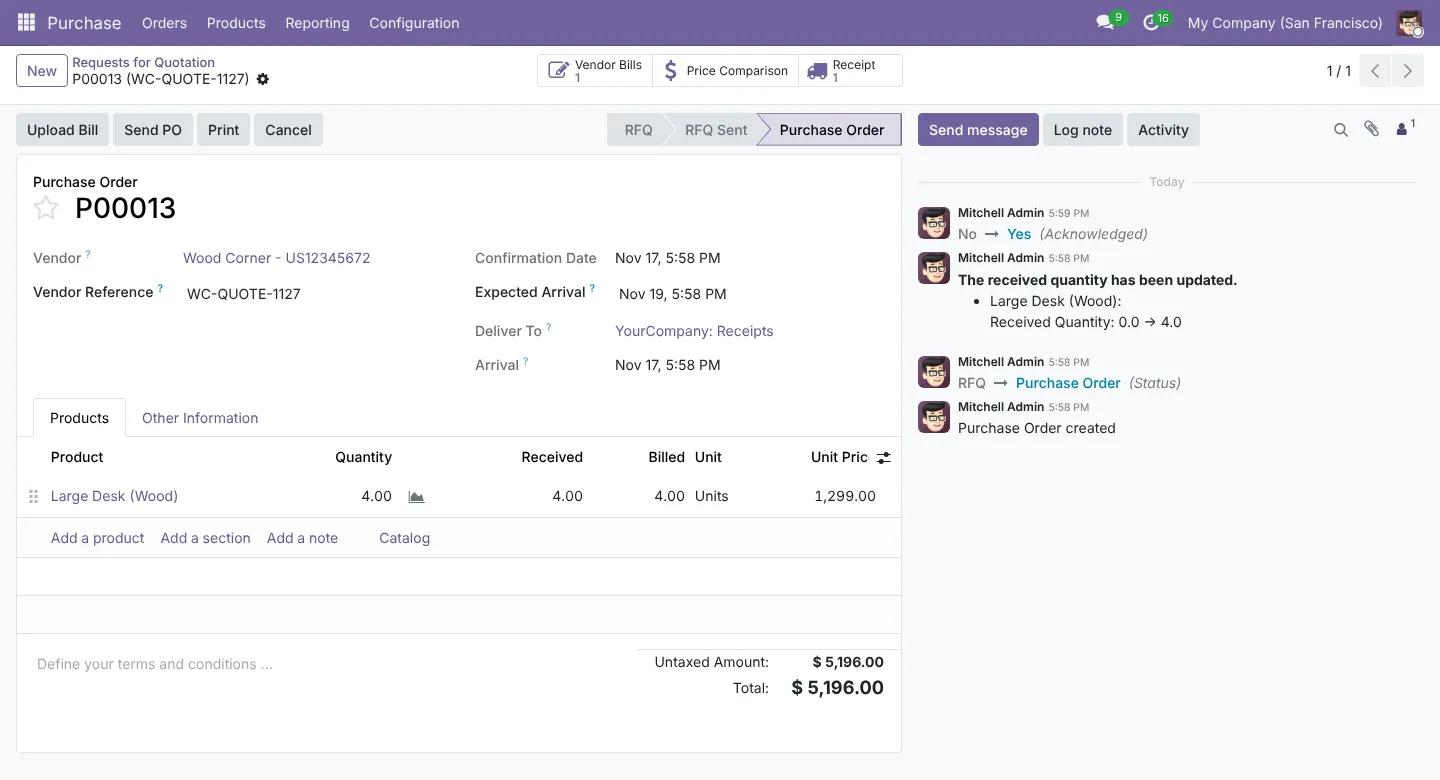
5Check the match on the purchase order
The purchase order now shows 4 ordered, 4 received and 4 billed. Any difference stands out straight away.
Why this matters for your accounts
With automated inventory valuation, receiving goods and posting the bill each create journal entries through the stock interim accounts. When ordered, received and billed agree, those interim accounts clear to zero. A balance left there at month end is a mismatch you need to look into.
Need help setting this up?
Our Odoo team sets these flows up on Odoo Online, Odoo.sh or your own server, and our accountants check the accounting behind them. See our Odoo services or tell us about your project.
Screenshots captured 17 November 2026 in Odoo 19 Community. Enterprise and later versions can look slightly different. This guide is general information, not advice for your situation.