Every screenshot in this guide was taken by our Odoo team on 17 November 2026 from a live Odoo 19 Community database running Odoo’s demo data, so the company, customer and product names are Odoo samples. Menus and buttons are the same in your database.
If you import goods, the supplier price is only part of the cost. Freight, customs duty, clearing and insurance belong in the product cost too. Otherwise your margins look better than they are. Odoo’s landed costs feature spreads these charges over the goods received.
Our example
| Item | Amount |
|---|---|
| 20 office chairs at 50.00 | 1,000.00 |
| Sea freight | 300.00 |
| Customs duty and clearing | 150.00 |
| Landed cost per chair | 72.50 |
1Before you start
Turn on Landed Costs in . The product category needs automated (perpetual) inventory valuation with average cost (AVCO) or FIFO. Landed costs adjust stock value, so they need a valued stock account.
2Create the landed cost products
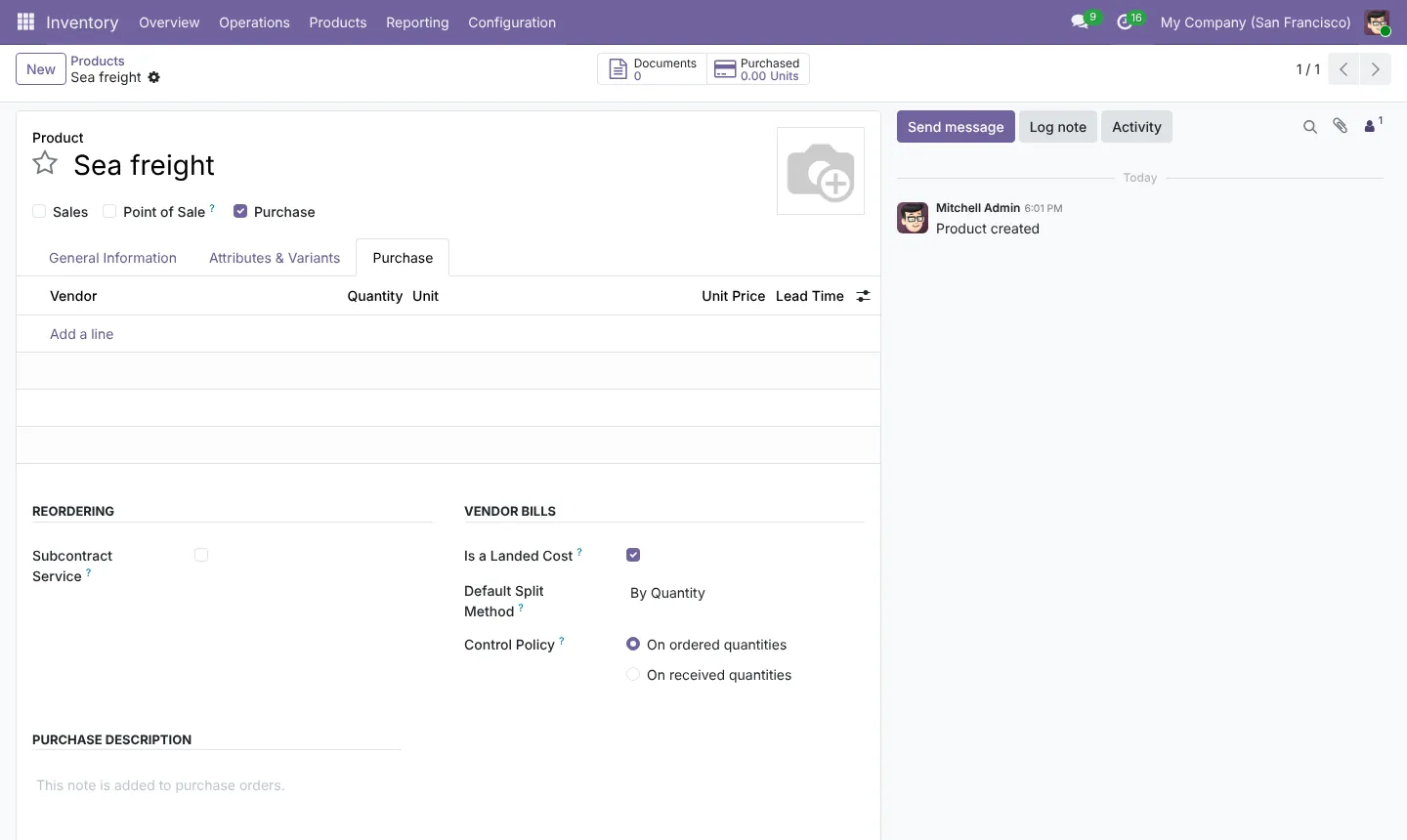
Create a service product for each type of charge and tick Is a Landed Cost on the Purchase tab. Choose a default split method: by quantity, by current cost, by weight, by volume or equally.
3Receive the goods
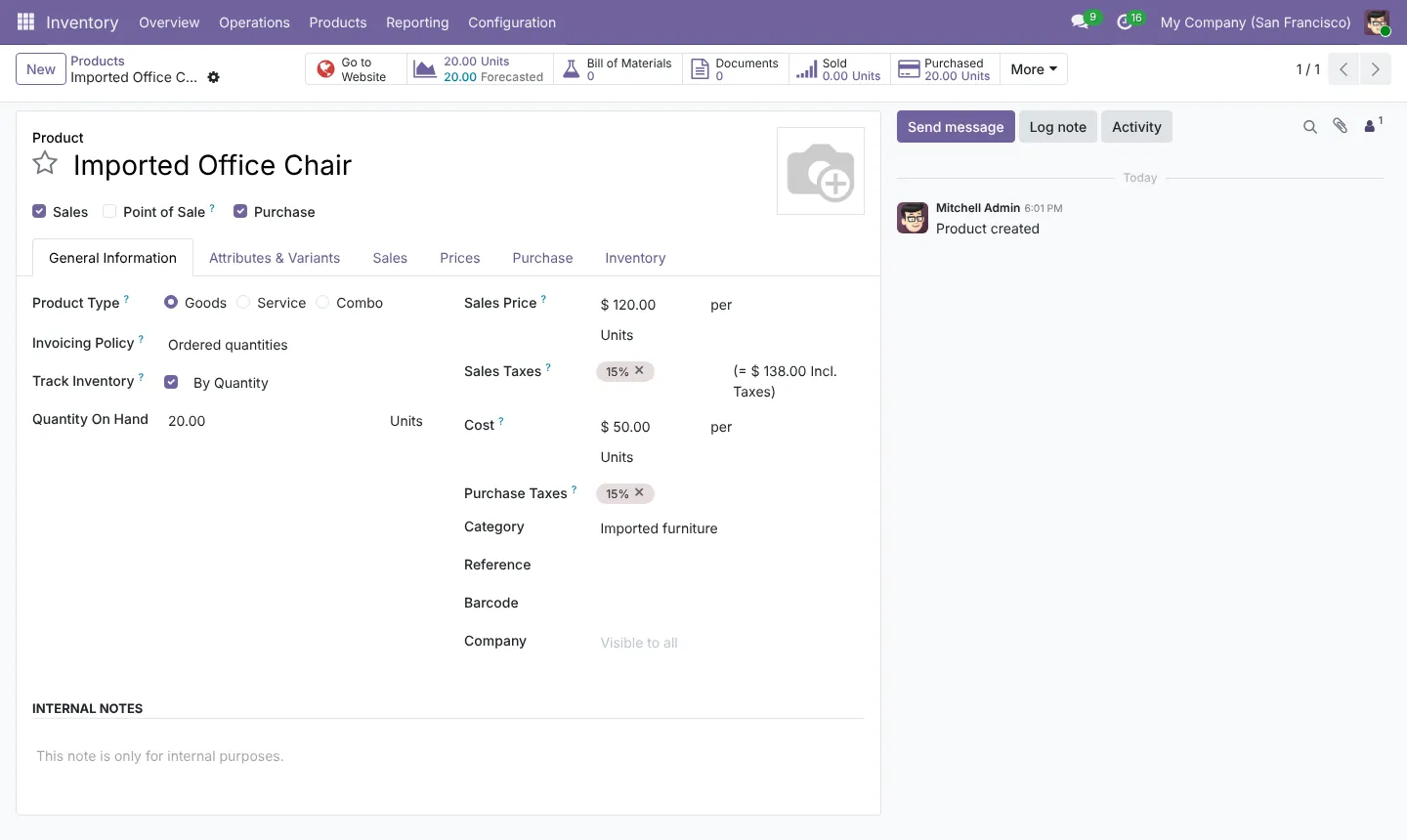
Buy and receive the goods as normal. After the receipt, our chair costs 50.00, the supplier price only.
4Create the landed cost and link the receipt
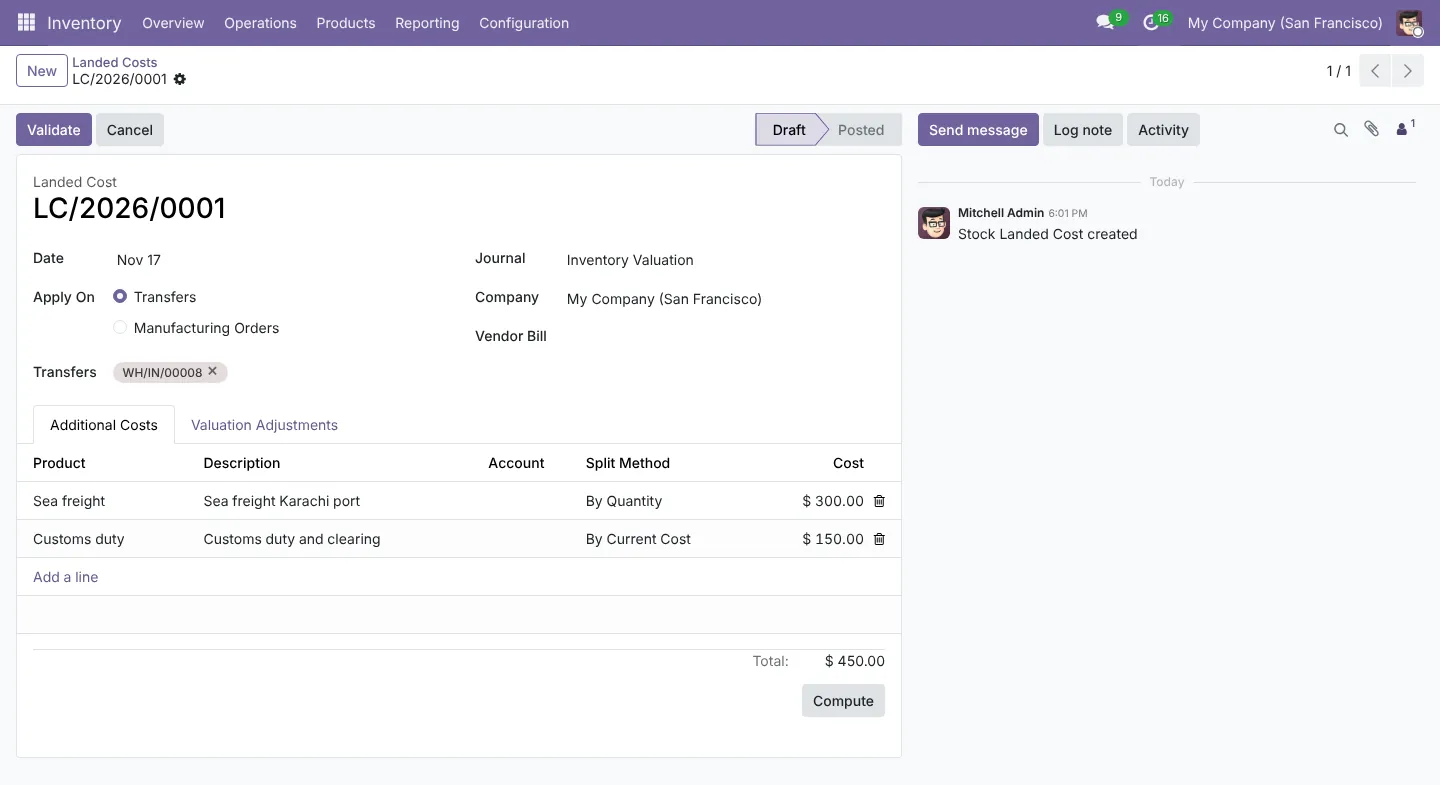
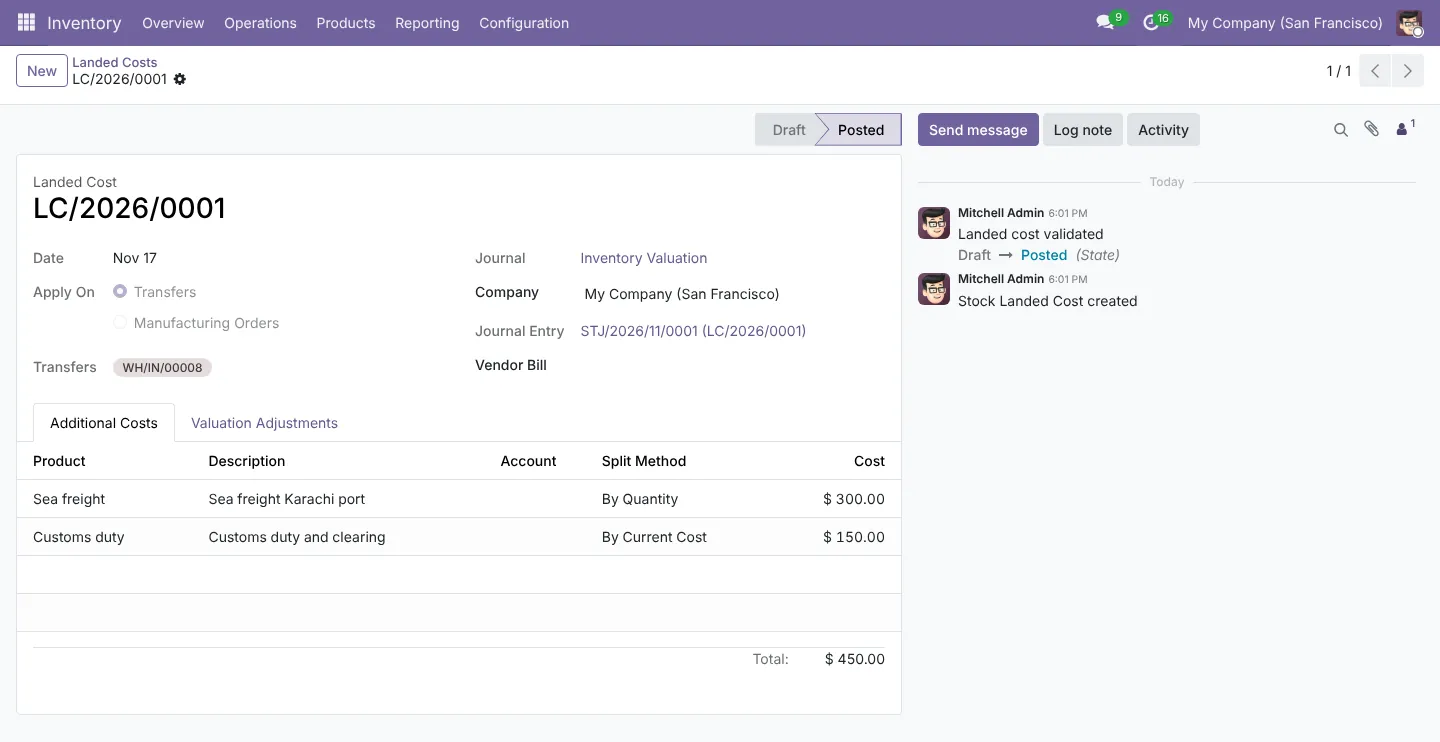
Go to and click New. Select the receipt under Transfers, then add the freight and customs lines with their amounts.
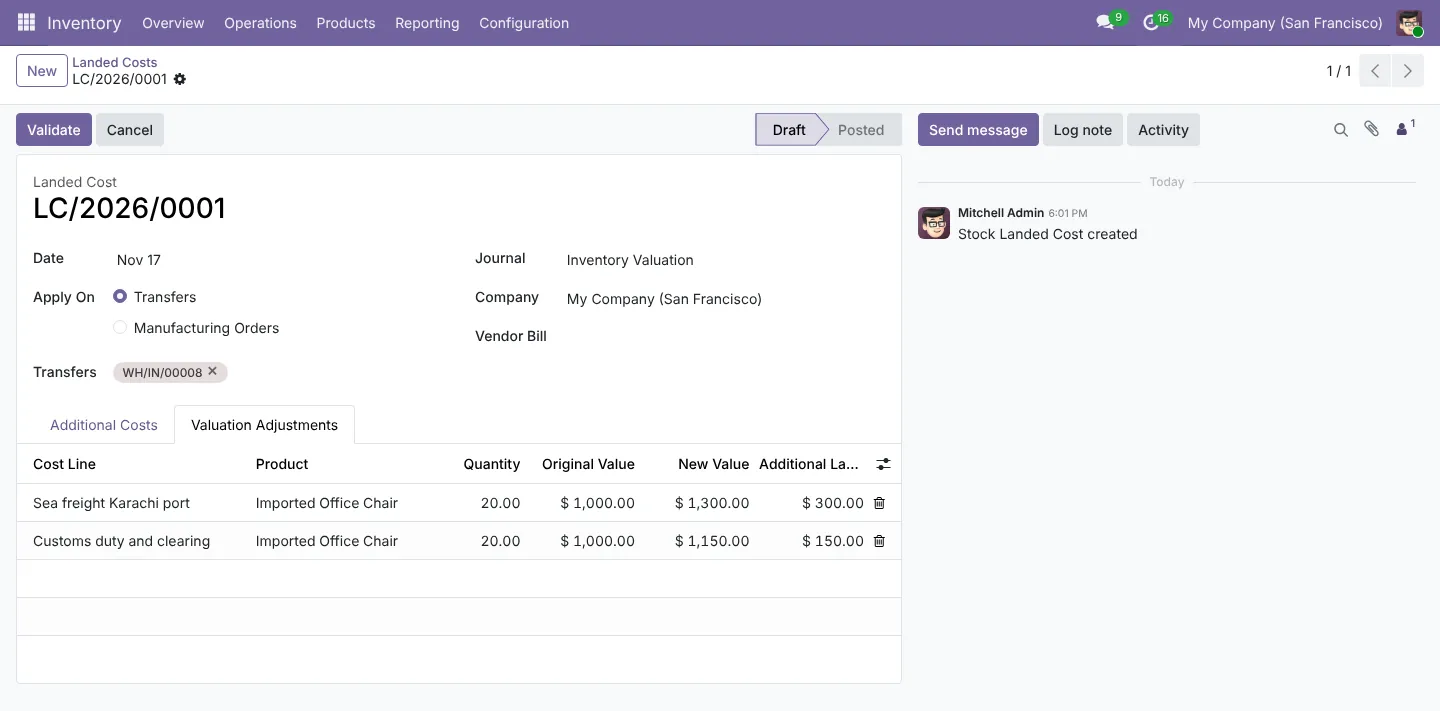
Click Compute. The Valuation Adjustments tab shows how each charge is spread and the new value of the goods.
5Validate
Click Validate. Odoo posts a journal entry that moves the charges into stock value. The landed cost links to that entry.
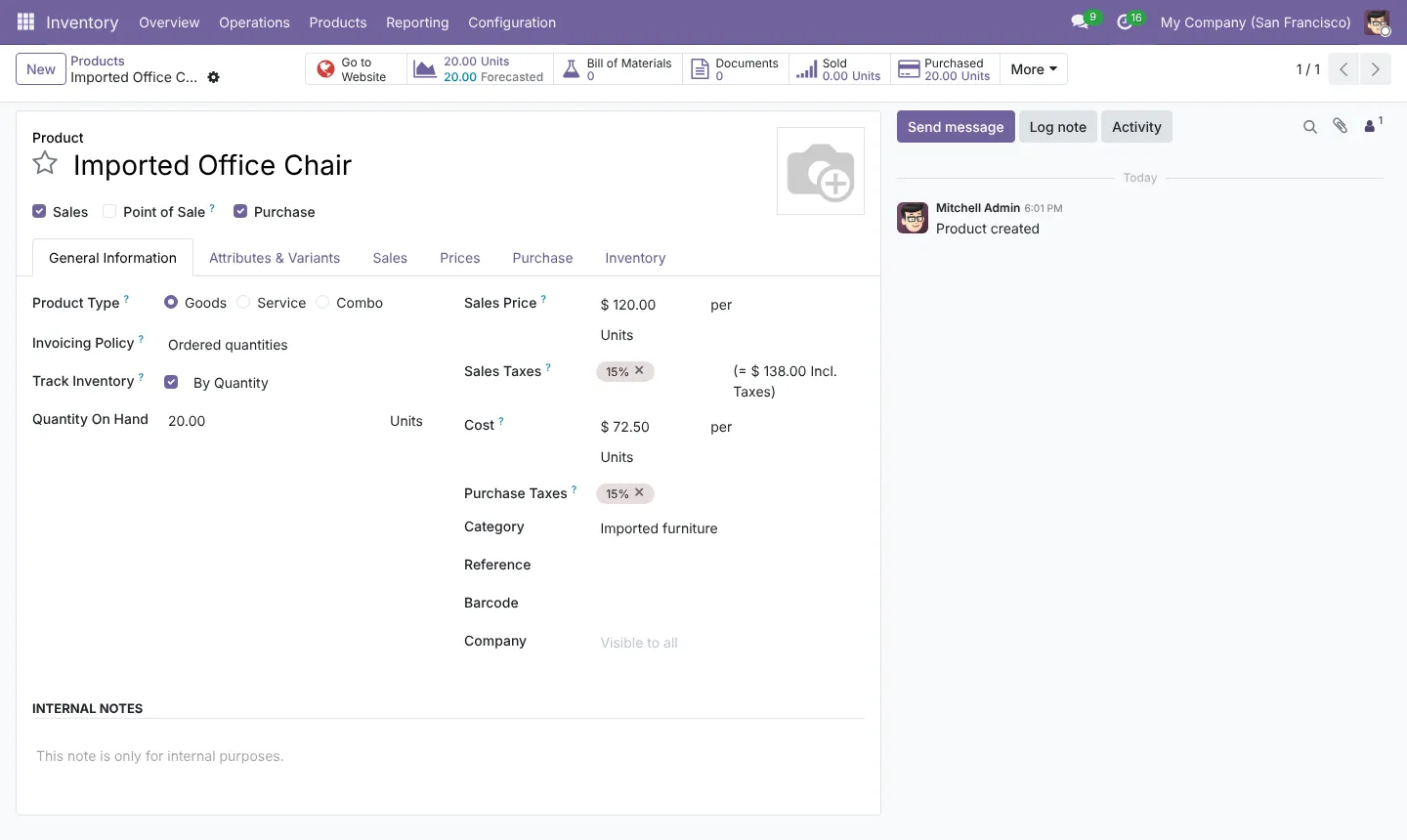
The chair’s average cost is now 72.50, the true cost of getting it onto your shelf.
Customs and VAT
Import VAT you can reclaim is not a landed cost. It goes to the input VAT account, not into the product cost. Customs duty that cannot be reclaimed is a landed cost. Our tax team sets this split up correctly for Pakistan, Saudi Arabia and the UAE.
Need help setting this up?
Our Odoo team sets these flows up on Odoo Online, Odoo.sh or your own server, and our accountants check the accounting behind them. See our Odoo services or tell us about your project.
Screenshots captured 17 November 2026 in Odoo 19 Community. Enterprise and later versions can look slightly different. This guide is general information, not advice for your situation.