Every screenshot in this guide was taken by our Odoo team on 17 November 2026 from a live Odoo 19 Community database running Odoo’s demo data, so the company, customer and product names are Odoo samples. Menus and buttons are the same in your database.
For consultancies, agencies and IT firms, time is the product. Odoo links each hour logged on a task to the client’s sales order, so billable time turns into an invoice instead of disappearing.
Step by step
1Sell a service that creates a project
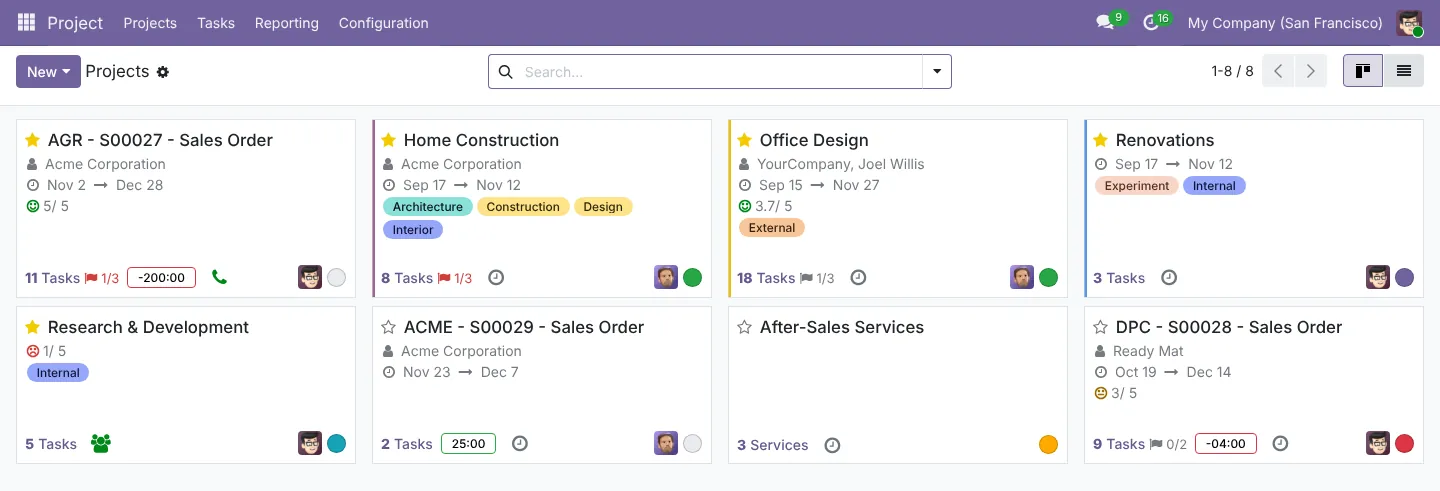
Set up a service product with the invoicing policy Based on Timesheets and Create on Order: Project & Task. When the sales order is confirmed, Odoo creates the project and links it to the order line.
2Plan the work as tasks
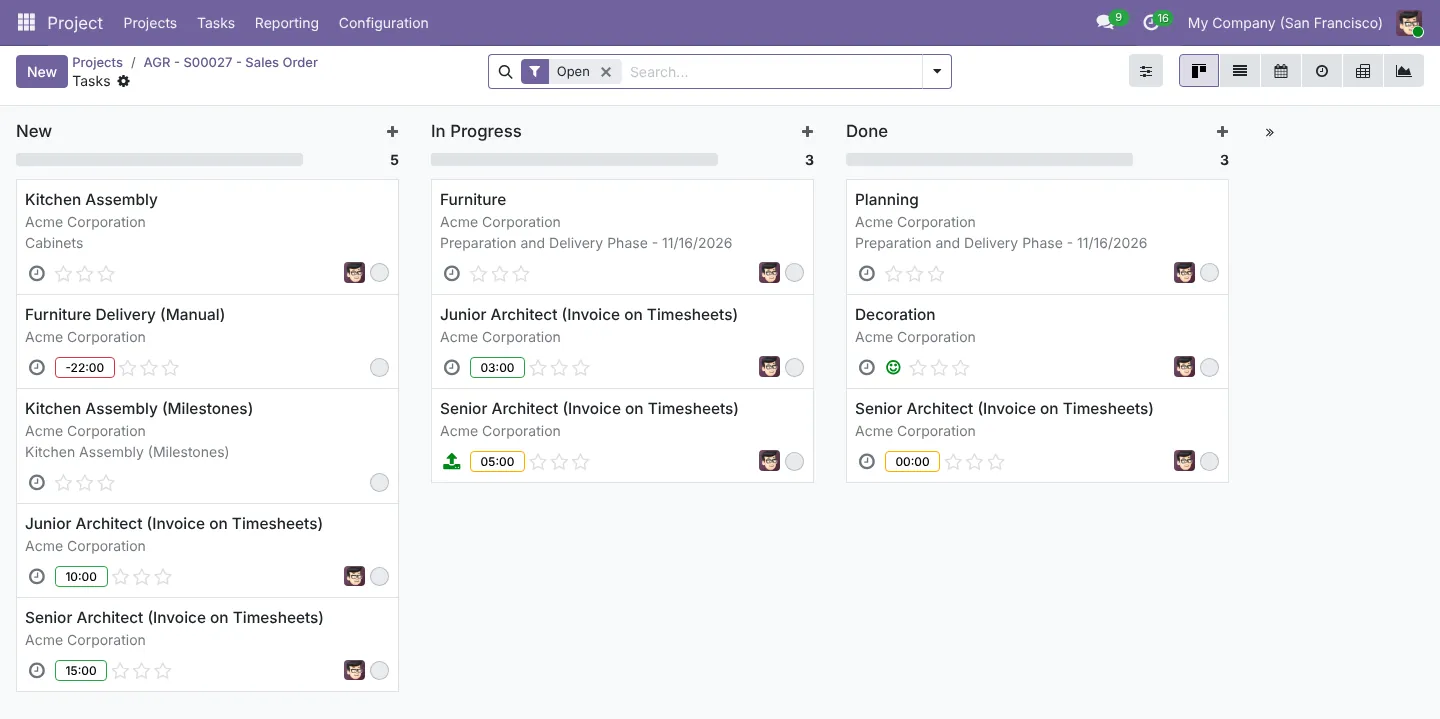
Each project has a Kanban board of tasks by stage. Assign people, deadlines and allocated hours.
3Log time on the task
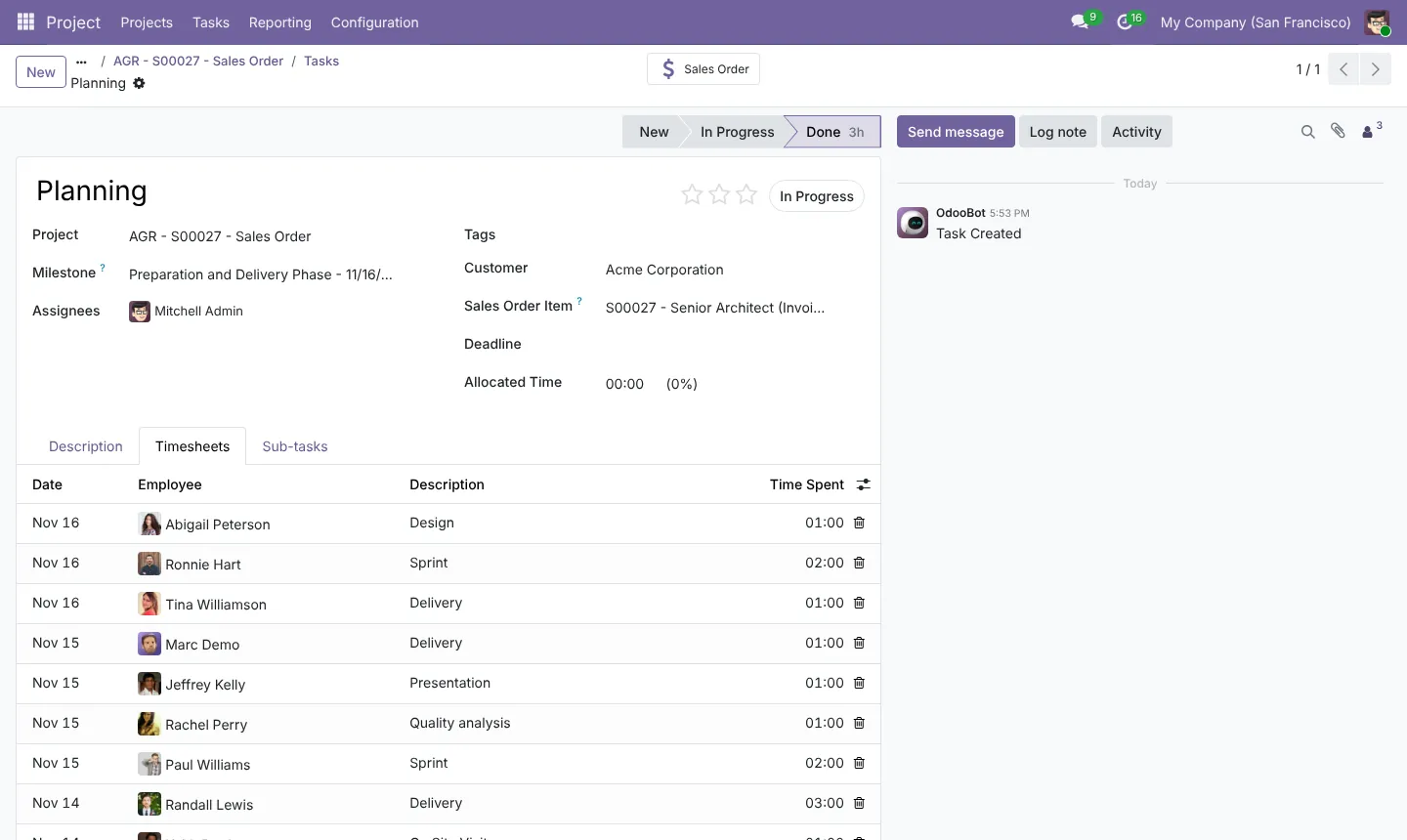
On the task’s Timesheets tab, each person adds a line: date, description and hours. Time can also be logged from the Timesheets app or the mobile app.
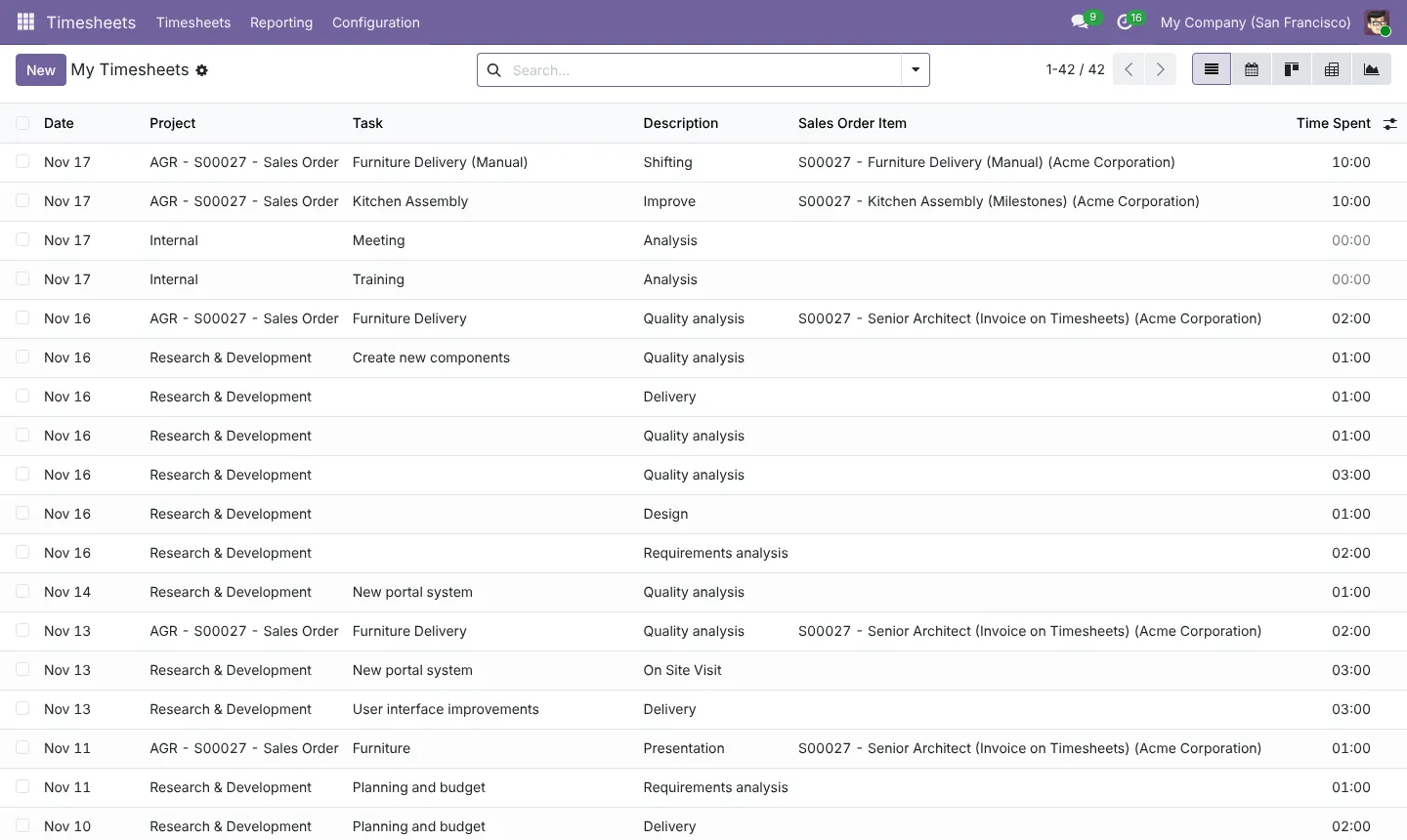
The list shows everything logged, with the project, task and sales order item for each line.
4Invoice the time
On the sales order, the delivered quantity of the service equals the hours logged. Click Create Invoice to bill what has been worked so far. Many firms do this monthly, sometimes after a manager has validated the timesheets.
Fixed price and milestones
Not every project is billed by the hour. In Odoo the same flow also handles fixed-price services and milestone billing. You still log time to see whether a fixed-price project is profitable.
Need help setting this up?
Our Odoo team sets these flows up on Odoo Online, Odoo.sh or your own server, and our accountants check the accounting behind them. See our Odoo services or tell us about your project.
Screenshots captured 17 November 2026 in Odoo 19 Community. Enterprise and later versions can look slightly different. This guide is general information, not advice for your situation.